Excel and BI

Connect familiar tools to the same governed model.

Tessallite exposes standard endpoints so teams do not need a new query language. Excel and Power BI use XMLA. SQL and BI clients can use the PostgreSQL wire endpoint. Applications and embedded workflows can use APIs. The Excel add-in goes further: it fills in PivotTable fields directly, shows a governed KPI catalog, and lets you ask questions in plain English without leaving the workbook.

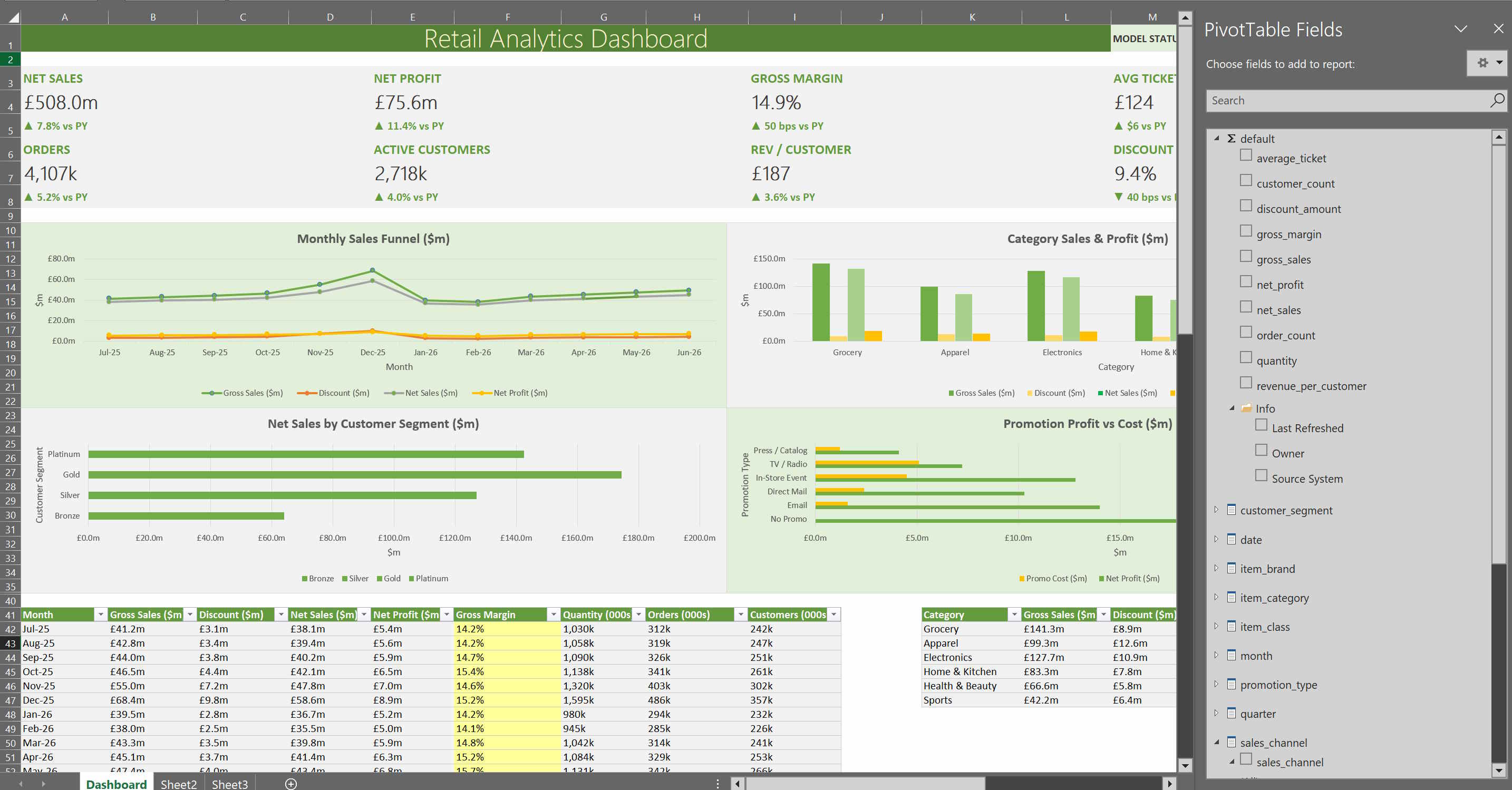
Excel dashboard connected to Tessallite model fields
Excel dashboard
Build workbook reports from governed PivotTable fields and deployed model measures.
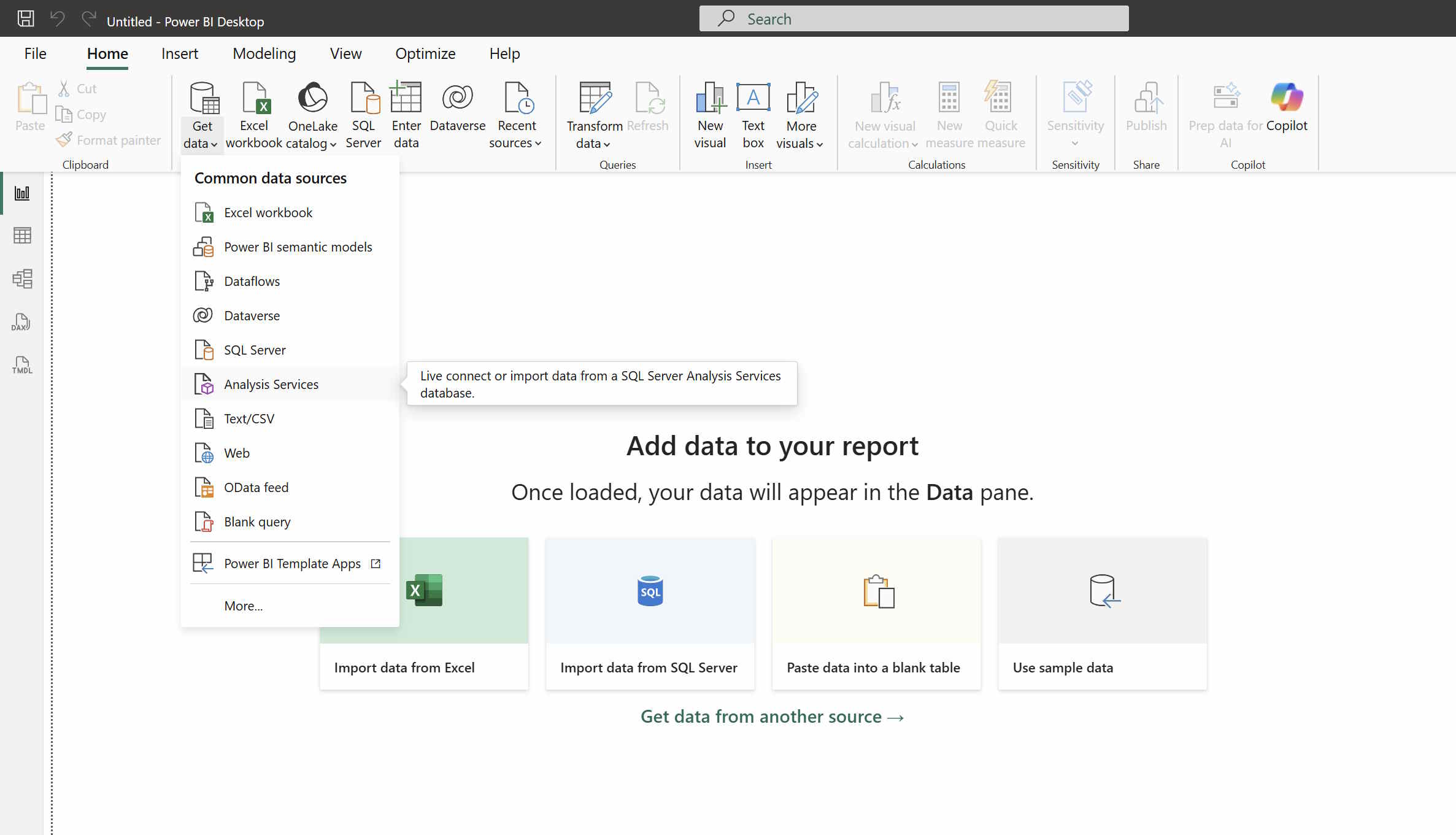
Power BI Analysis Services connection menu
Power BI connection
Connect through the Analysis Services path and use the same published semantic model.

Supported connection paths

  • Excel and Power BI through XMLA on port 8080.
  • Power BI PostgreSQL, DBeaver, Tableau, pgAdmin, and drivers through port 5433.
  • Headless API for applications and non-SQL clients.
  • Excel add-in for guided report building, drill-through, CUBE formulas (pull one number straight into a cell without building a full PivotTable), and glossary lookup (hover any field to see its plain-English definition) — the KPI catalog and the in-Excel Ask assistant are covered below.
What stays consistent

All paths use the same deployed semantic model, route selection, row security, column security, persona rules, and governed business terms. A measure should mean the same thing whether it is used in Excel, a dashboard, SQL, or Agent Chat.

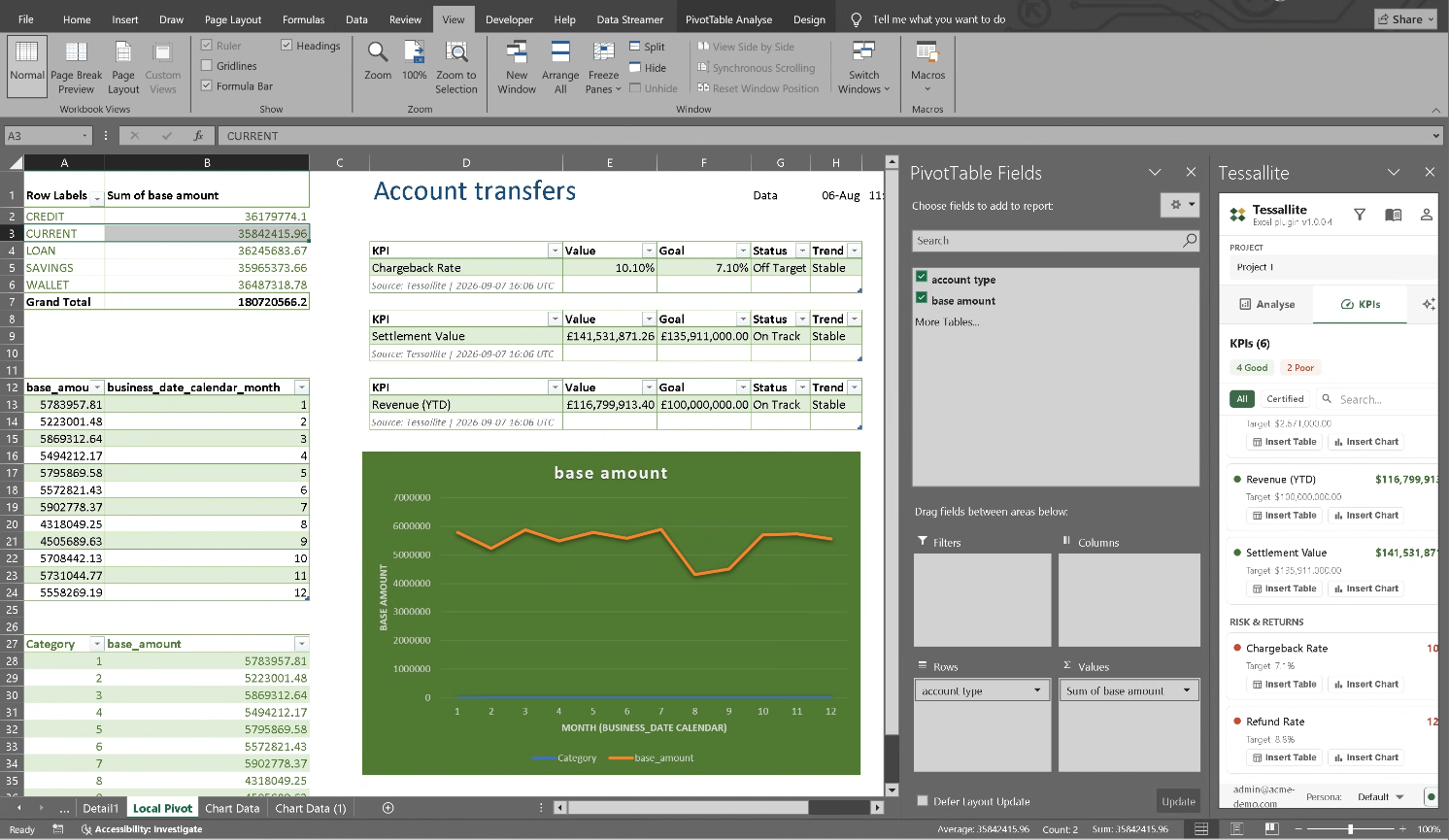
Excel PivotTable Fields list populated from Tessallite, next to the task pane's certified KPI catalog and a report citing Tessallite as its data source
PivotTable fields and the KPI catalog
The Fields list on the right is Microsoft's own PivotTable panel — Tessallite fills it in, it does not replace it.

Where the numbers come from

When the add-in connects, Excel's own PivotTable Fields list fills in with the fields from your deployed model — the same fields everyone else uses, not a copy pasted into the workbook. The task pane also lists its own KPIs: the key measures the business has agreed on, each marked on track, needs attention, or behind, with its target shown next to it.

  • Certified means someone responsible for that number has checked and approved it, so you can use it without re-checking.
  • A report built from these fields can show where a number came from and when it was last refreshed, so nobody has to take it on faith.
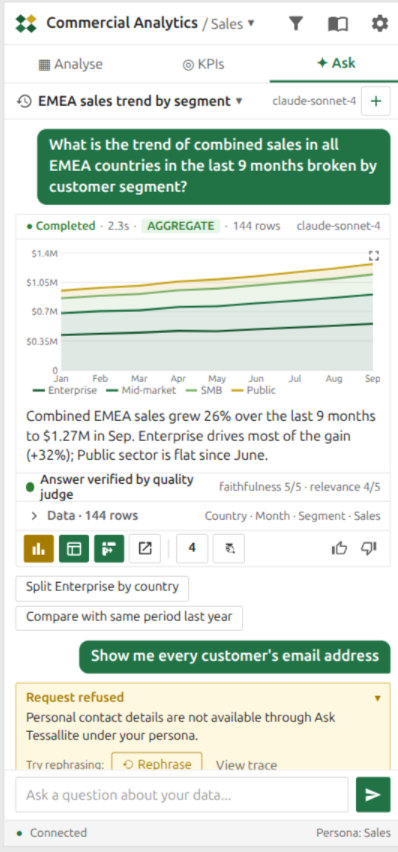
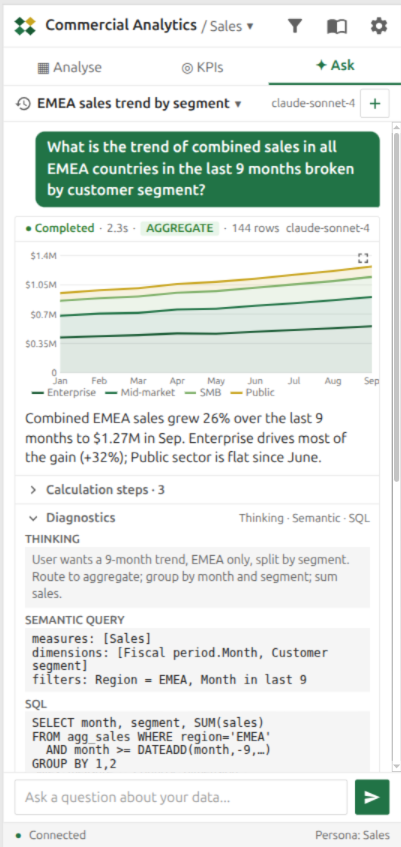
Tessallite Ask pane inside Excel showing the thinking, semantic query, and generated SQL behind an EMEA sales trend answerTessallite Ask pane inside Excel refusing a request for customer email addresses under the signed-in persona
Same conversation, two moments
Diagnostics open on a real trend question, and a refusal message on a request outside the signed-in role.

Ask, without leaving the workbook

The same Agent Chat covered on the previous page also runs from inside the Excel task pane. Type a question in plain English — "what is the trend of sales in the last nine months?" — and it answers with a chart, a short written summary, and an automatic quality check that scores how well the answer matches the data behind it.

  • Open Diagnostics to see exactly how the answer was built: what the agent understood you were asking, the precise request it built against the model, and the finished database instruction it ran — sometimes against a smaller, pre-built summary table so the answer comes back faster.
  • The agent will not hand over data your sign-in is not allowed to see. Ask for something outside your role — such as every customer's personal contact details — and it refuses directly, explains why, and offers to help you ask a different way.