Configure Row Security
Why row security matters
The most dangerous numbers in a business are the ones the wrong person sees. A regional sales manager seeing another region's revenue is a compliance incident. A customer-success account manager seeing a colleague's accounts is an HR incident. A "self-service" dashboard that shows every user every other user's data — even once — can cost a contract.
Traditional BI tools solve this by copying the model per audience. Finance gets one cube. Sales Europe gets another. Sales APAC gets a third. Every rename, every new measure, every join change has to be repeated across each copy, and drift between copies is the norm. One model a quarter gets out of step and a region sees something it should not.
Row security in Tessallite keeps a single model and filters it at query time per caller. One model, many audiences. The Query Router enforces the filter before any row crosses the network. The filter applies to every read path — JDBC for Tableau, XMLA for Excel, REST for a notebook, MCP for an agent — and cannot be bypassed by switching tool.
This page covers the two rule shapes, the tiny restricted DSL used to author role predicates, how rules combine, how the Router injects the filter at runtime, and the v1 limits every modeller must know before trusting a rule.
When to use row security
The typical cases:
- Regional sales model shared by regional managers. Each manager sees only their region.
- Customer-success model where every account-manager sees their assigned accounts. Needs per-user scoping, not per-role scoping.
- Self-service model where the caller should only see rows tagged with their own user identity. Typical for a HR/performance or personal-finance model.
- Multi-tenant model inside one workspace, where the "tenant" is a column on the fact table and the user is a member of exactly one tenant.
When not to use row security:
- When two audiences need two genuinely different models (different facts, different grain, different semantics). Copy the model.
- When the visibility rule is based on measure value, not dimension (for example, "hide rows whose revenue is below $X"). Row security filters on dimensions, not on computed values. Use a separate model, or a pre-filtered pocket.
- When the rule is time-varying and changes every query (for example, "only rows older than 30 days"). Row security rules are static predicates; time-relative behaviour lives in the calendar/time-intelligence layer, not the security layer.
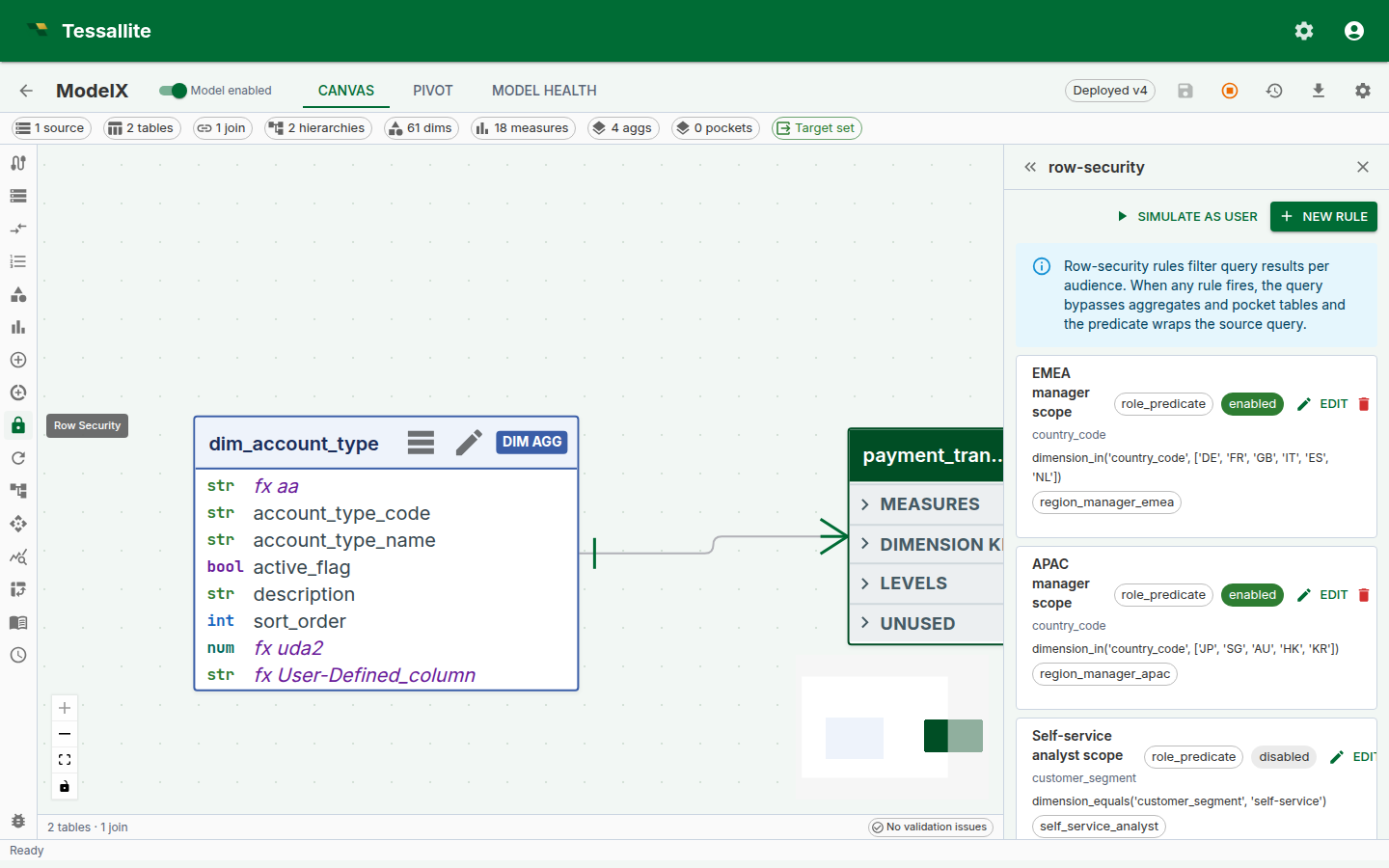
Figure 1 — The Row Security panel. Rules are listed top-down; enabled rules are green-ringed; the protected-dimensions chip row gives the modeller a one-glance audit of what is and is not covered. Full description: row-security-panel-overview.txt.
The two rule shapes
A rule is one of two shapes. A model can mix shapes freely. Named-role grants that match the caller OR together (a person with two roles sees the union of those grants). Wildcard * rules AND with that union as a floor every caller must satisfy. Mapping-table rules also AND. Do not write two named-role rules expecting them to intersect for a multi-role user.
1. Role predicate
A rule authored in a small restricted DSL, scoped to one or more named roles. Use this when the visibility rule is the same for everyone in a role.
| Field | Meaning |
|---|---|
name | Human label for the rule. |
dimension_path | The model dimension the rule filters on, e.g. region.region_code. |
rule_type | role_predicate. |
predicate_expression | A DSL string, e.g. dimension_equals('region.region_code', 'EMEA'). |
applies_to_roles | List of role names. The rule fires only for callers whose JWT carries a matching role claim. |
is_enabled | On/off switch. Disabled rules are ignored at query time; they are not deleted. |
The DSL is deliberately tiny so every rule can be reasoned about without running it. Supported forms:
| Form | Meaning | Example |
|---|---|---|
dimension_equals(path, value) | Equality against one dimension column. | dimension_equals('region.region_code', 'EMEA') |
in(path, v1, v2, …) | Set membership on one dimension column. | in('region.region_code', 'EMEA', 'APAC') |
and(expr1, expr2, …) | All children must hold. | and(in('region.region_code', 'EMEA', 'APAC'), dimension_equals('year', '2024')) |
or(expr1, expr2, …) | Any child must hold. | or(dimension_equals('region.region_code', 'EMEA'), dimension_equals('region.region_code', 'APAC')) |
not(expr) | Negation. | not(dimension_equals('region.region_code', 'RESTRICTED')) |
Anything outside this grammar is rejected at save time with a structured validation error. This is intentional — it means a rule cannot be a back door for arbitrary SQL, and the DSL is identical across PostgreSQL, BigQuery, and future connectors.
String literals are single-quoted. Escape a single quote by doubling it ('O''Brien').
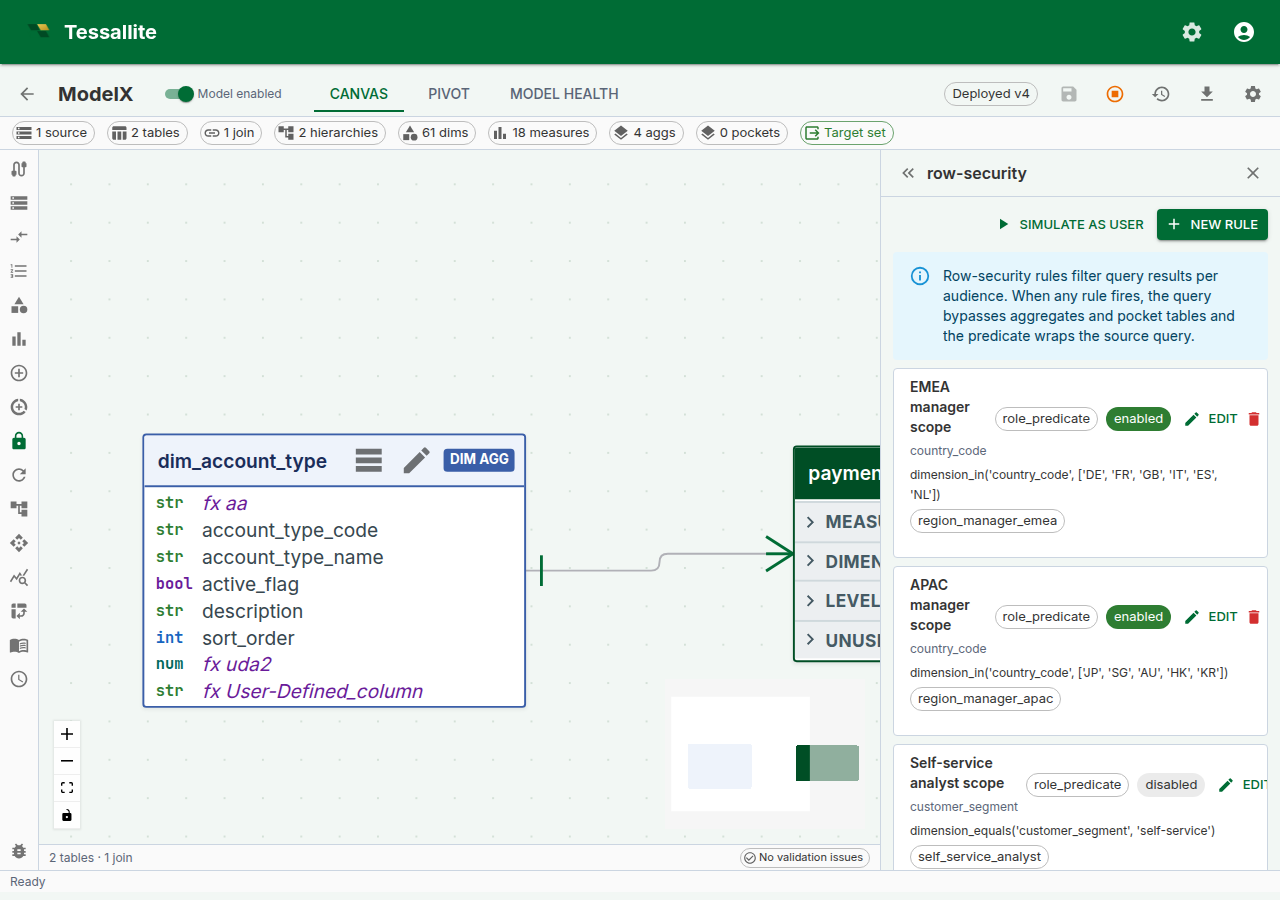
Figure 2 — Authoring a role predicate. The dimension path field is a dropdown selector populated from the model's defined dimensions; select the dimension the rule filters on (for example region_code). The predicate expression field is a multi-line text area where you write the DSL expression; a helper hint below the field reminds you of the supported forms. The applies-to-roles field accepts a comma-separated list of role names. When the rule type is changed to user_mapping, the form adapts to show a mapping-table dropdown (populated from the model's tables) and column-name fields instead. Full description: row-security-rule-drawer.txt.
2. User mapping
A rule backed by a mapping table in the same model. Use this when the visibility rule is per user and the allowed values are stored as data.
| Field | Meaning |
|---|---|
name | Human label for the rule. |
dimension_path | The model dimension the rule filters on. |
rule_type | user_mapping. |
mapping_table_id | A ModelTable in the same model holding (user_identity, allowed_value) rows. |
mapping_user_column | Physical column on the mapping table that stores the user identity. |
mapping_value_column | Physical column on the mapping table that stores the allowed dimension value. |
is_enabled | On/off switch. |
Cross-model mapping tables are rejected at save time — a rule on model A cannot draw allowed values from a table that belongs to model B. This prevents accidental cross-tenant leaks.
A user with multiple rows in the mapping table — for example, an account manager mapped to three accounts — sees the union of those values. No additional configuration is needed.
The mapping table is just another model table, and it must belong to the same model as the rule. It can live in the same schema as the facts, or in a separate "security" schema, as long as that schema sits on the same data source as the facts it protects.
It cannot usefully live on a genuinely different data source. A model can be built by joining more than one source together — for example, a PostgreSQL source joined to a BigQuery source — and the rule form lets you pick a mapping table from any source in the model when you save the rule. But the moment a query actually needs that rule, Tessallite checks whether the mapping table and the fact table it filters share a source. If they do not, the query is refused with a clear error rather than silently joining rows across two different databases. Keep the mapping table on the same source as the fact table it protects.
How the Query Router applies rules at runtime
For every read query, the Query Router runs the same four-step procedure:
- Resolve the principal. The caller's
Principalis extracted from the JWT:user_identityfrom thesub/emailclaim,rolesfrom theroleclaim. A single-string role is treated as a one-element frozen set so bothrole: "manager"androle: ["manager"]JWTs work. - Compile every matching enabled rule. Every role predicate whose
applies_to_rolesintersects the principal's roles. Every user mapping rule (these always match once per user). Disabled rules are skipped. - Constrain every table scan. If at least one rule compiled, the Query Router adds the combined predicate to the
WHEREof every SELECT that reads a physical table — not as an outer wrapper around the whole query, but inside each scan. That includes each branch of aUNION/EXCEPT/INTERSECT, scalar subqueries, subquery-firstFROMclauses, and the bodies of CTEs. Two consequences matter:- Because the filter lives in the same SELECT as each scan, it always applies before any
LIMIT. SoLIMIT 100returns up to 100 allowed rows — never the first 100 physical rows that are then filtered down to far fewer (or none). - The combined predicate is
AND(each wildcard, OR(named grants), each mapping). Two named-role grants for a caller who holds both roles union. A wildcard plus a named grant intersects. Mapping-table rules always intersect.
403and the error coderow_security_unsupported_shape, rather than being run unfiltered. Rewriting it as a plain SELECT (or a UNION of plain SELECTs) over the model resolves it. This fail-closed stance is the whole point: an unconstrainable query is refused, never leaked. - Because the filter lives in the same SELECT as each scan, it always applies before any
- Use a fast path only when it can be proved safe. Tessallite keeps pre-computed copies of your data — aggregates and pocket tables — to answer common questions quickly. When a row-security rule fires, the Router does not simply skip them, and it does not simply trust them either. It asks one question per candidate: can this shortcut carry the exact same filter the source scan would carry?
- An aggregate passes only when every column the security rule filters on is one of the columns that aggregate is grouped by. If the aggregate was pre-summarised in a way that threw the security column away, there is no honest way to filter it, so it is rejected.
- A pocket table passes only when it is a straight copy of the rows (a
SELECT *-style copy, optionally with its own WHERE filter — no joins, no grouping, no picked column list, no row limit) and Tessallite's own record of what that copy physically contains shows the security column is really there, spelled exactly the same way. That record is written every time the pocket is rebuilt, by reading the built table back from the database — it is never guessed from the model's design. A pocket copies only the columns its build made visible, so a hidden or joined-in security column can be genuinely missing from a perfectly valid pocket.
When no rule matches, ordinary callers receive a deny-all predicate and see no rows. Only trusted interactive platform roles (tenant_admin, modeler, and system_admin) are exempt so administrators can inspect and repair governed models. A rule that explicitly names one of those roles still filters it. The KPI service role and bare embed sessions are not exempt.
An empty result is a valid answer, not an error
Row security is a filter condition on every governed query. It is not a gatekeeper that runs before the query and refuses it; it is part of the query that runs. So when a caller's rules match no rows, the query succeeds and returns nothing — exactly as WHERE region_code = 'FR' returns nothing in a dataset that holds no French rows.
That is deliberate, and it is why no error and no special signal is sent to the client. The filter is inside the query, so every consumer sees an ordinary empty result: Excel shows an empty PivotTable, Power BI shows an empty visual, a JDBC tool shows zero rows, and a total taken over no rows shows 0. A tool that asked a legitimate question got a legitimate answer for the audience it asked as. Tessallite does not distinguish "you are not allowed to see these rows" from "there are no such rows", because from the query's point of view they are the same condition, and answering differently would leak the existence of rows the caller may not see.
The practical consequence is that an empty result is not self-explaining. When a user reports that a report went empty, or that a figure they expect is showing 0, check these in order:
- Which rules compiled for that person. Open Simulate as user with their email address and their exact JWT roles. A deny-all compiled string (
0 = 1) means no rule matched, and an ordinary caller with no matching rule is denied every row. - Whether their role string is spelled as the rule expects. Roles are plain strings from the token. A typo in
applies_to_roles, or a role the identity provider spells differently, matches nothing and reads as an empty report. - Whether their mapping row exists. A
user_mappingrule with no row for that user allows nothing. - Whether the rule is narrower than intended. Wildcards and mapping rules intersect; only named grants union. Two rules that each look permissive can combine into a filter that matches no rows.
- Whether the data really has rows for their scope. Run the Simulate probe query as a tenant administrator (
SELECT <security_column>, COUNT(*) FROM <model> GROUP BY <security_column>). If the caller's allowed value is absent from that breakdown, the rule is right and the data is empty.
Steps 1 to 4 are policy problems and are fixed in the rule. Step 5 is a data problem and is not.
Preview compiled policy
The Row Security panel has a button labeled Simulate as user. It opens a dialog where you enter a candidate email address and a list of roles, then click Preview. Tessallite compiles every enabled rule against that hypothetical person and shows the resulting filter — one compiled string, the same predicate the Query Router would inject. There is no per-rule fire / not-fire tree: unmatched named grants simply do not appear in that string.
Optionally fill Probe query (the panel suggests SELECT <security_column>, COUNT(*) FROM <model> GROUP BY <security_column> LIMIT 50). When a tenant administrator supplies a probe, Simulate runs it through the real /execute path and shows the rows that principal would see. A modeller who is not a tenant administrator still gets the compiled predicate; the probe is refused rather than silently ignored. A blank probe is compiled-preview only.
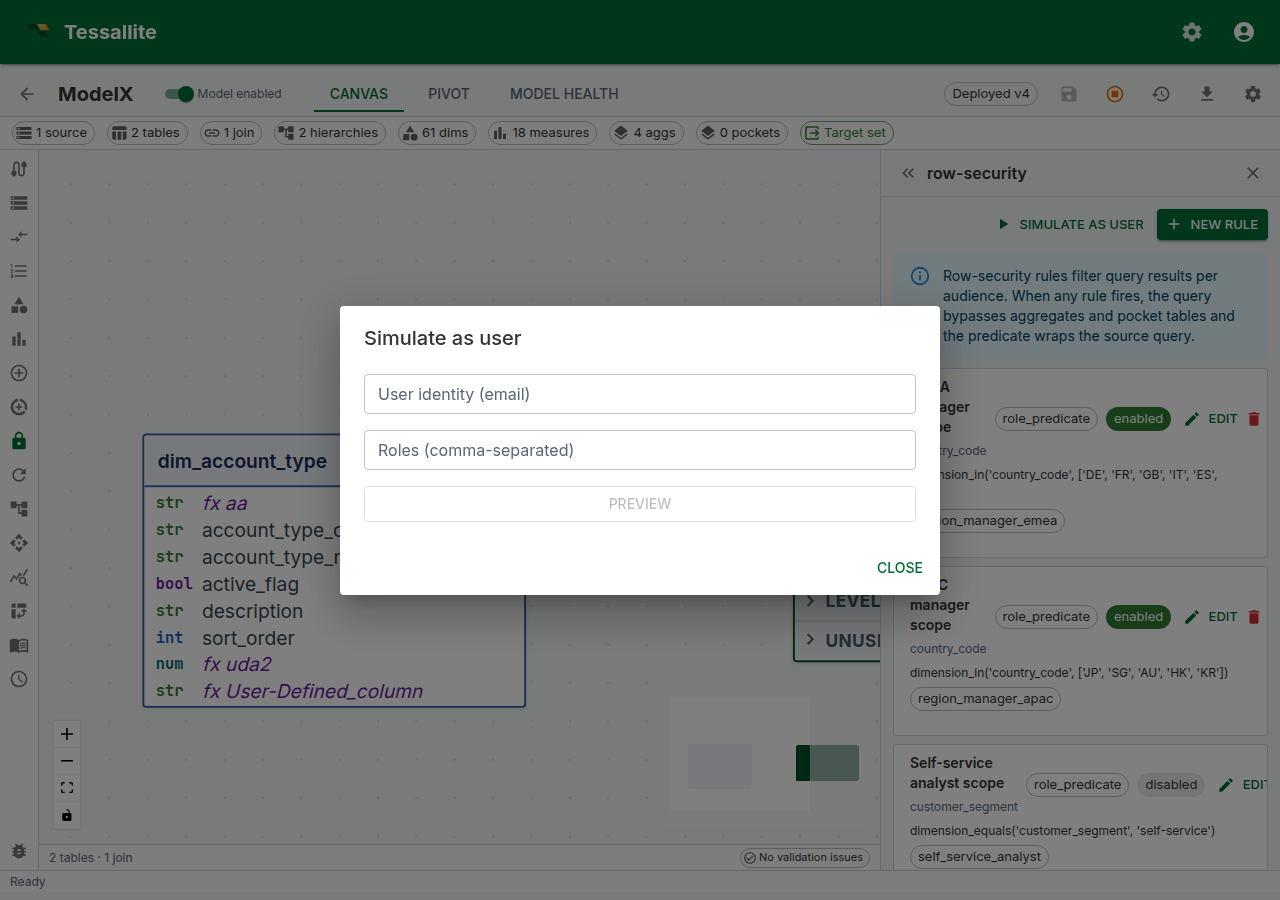
Figure 3 — Preview compiled policy. Confirming a rule's effect before sending a JWT to a user's tool is the single highest-value habit in row-security authoring. Full description: row-security-simulate-drawer.txt.
The compiled string is a policy check. The probe table is the row proof. Review both after every rule change — named grants OR, so two rules that look like they tighten can instead widen a multi-role caller.
Everything built from the model inherits this filter
Row security does not just change what a plain query returns. It changes the model itself, for that caller. Think of it as a smaller model, built just for them.
Everything else comes from that smaller model too. This includes a named set, a saved Named Query, and a KPI. It also includes a summary table, a subtotal, a preview, and an export. It even includes an answer from the assistant. None of them can reach around it.
Set the rule once, here. It reaches every one of those automatically. There is no second list of "who can see what" to keep in step with this one.
What that means in practice:
- Named sets and Named Lists. Say a set ranks members by a measure you cannot see. You will not be offered that set at all. If a set or list cannot be built from your smaller model, it will not appear in the picker. It is not greyed out. It is simply not there.
- Named Queries. A Named Query keeps a stored copy of its answer. Tessallite uses that stored copy only when your row security can still be applied to it. Say the stored copy is missing the column your rule filters on. Then Tessallite runs the question live instead. It runs straight from the model as you see it, with the same filter. It never reads the stored copy unfiltered.
- KPIs, aggregates, and other summary tables. A summary table answers you only when your row security can still be applied to it. When it cannot, Tessallite computes the answer live instead. It will never hand you a number that was built for a wider audience.
- Subtotals and grand totals. A subtotal is a total taken over your filtered model. It is never a total taken over the unfiltered source with a filter added afterward.
- Previews and exports. A table preview, a drill-through, and a CSV or Excel export all read through the same filtered model. None of them reads the source table directly and applies the filter afterward.
- The assistant. The conversational agent is grounded on your model too. It is never told about a row, a measure, or a slice you could not query yourself. So it cannot describe, summarise, or chart something you are not allowed to see.
This is why one rule is enough. A derived answer can only reach what your own queries reach. It is always built on top of those queries.
Worked example — a two-region model
Context. A company has two regional sales audiences — EMEA and APAC. Each manager should see only their region's rows. A third group, "central analytics", should see every region.
Steps.
- Open the model in Model Builder → Row Security.
- Click New Rule. Fill in:
- Name:
EMEA manager scope - Rule type:
role_predicate - Dimension path:
region.region_code - Predicate expression:
dimension_equals('region.region_code', 'EMEA') - Applies to roles: add
region_manager_emeaas a chip. - Enabled: on.
- Save. Add a second rule mirroring the first for APAC (
dimension_equals('region.region_code', 'APAC'), roleregion_manager_apac). - Add an explicit central-analytics rule covering every allowed region. An ordinary unmatched
analytics_centralrole is denied every row. - Open Simulate as user, enter
analyst@acme-demo.comwith roleregion_manager_emea, and click Preview. The compiled string should constrain the region to EMEA. The APAC grant is simply absent from that string (the panel does not grey out unused rules). - Preview again with a user who has no roles. The compiled string should be deny-all (
0 = 1). Then preview a tenant administrator: the compiled predicate is empty because privileged unmatched roles are exempt, not because the model is unprotected. Do not useadmin@acme-demo.comas the everyday JDBC/Excel user when you want to see France-manager rows.
v1 limitations
| Limitation | Impact | Workaround |
|---|---|---|
Every scanned table must expose the security dimension column. The Router ANDs the predicate (referenced by the path's last segment, e.g. region.region_code → region_code) into the WHERE of every SELECT that reads a physical table. | If a scanned scope does not expose that column, the source database rejects the query with "column does not exist" — it fails closed, never returning unfiltered rows. Query shapes the Router cannot safely constrain are rejected with a row_security_unsupported_shape error. | Ensure the fact table exposes the security column, or rewrite the query as a plain SELECT (or a UNION of plain SELECTs) over the model. |
| Aggregate and pocket fast paths are used under row security only when they can be proved safe. An aggregate needs every security column in its grouping; a pocket needs to be a straight row-preserving copy whose recorded materialised columns include every security column, matched exactly (including upper/lower case). | A filtered audience gets the fast answer when the proof holds and the source-speed answer when it does not — never a wrong or unfiltered one. A pocket that drops or renames the security column, or whose column record is missing or out of date, quietly routes to source. | If a filtered audience is slower than you expect, check that the security dimension column is actually materialised in the aggregate's grain or the pocket's copy, spelled identically. A per-audience pre-filtered pocket is still a good option when the general artifact cannot carry the column. |
| Roles are strings carried on the JWT. No central role registry today. | Typos in applies_to_roles silently match nothing. | Keep a canonical list of role strings in the team's runbook; a planned rule-coverage audit will highlight orphaned roles. |
One security dimension per rule. A rule filters on exactly one dimension_path. | Compound restrictions need more than one rule. | Author a wildcard (AND floor) plus named grants (OR entitlements), or a single and(...) DSL expression. Named grants for a multi-role user union; they do not intersect. |
Embed sessions apply row-security rules only when the embed token carries a security subject. When you mint an embed token you can set an rls subject — a role, a set of groups, and/or a set of claims — for the end user the token represents. That subject drives role_predicate / idp_group / saml_claim / oidc_scope rules exactly like an ordinary sign-in does. If you leave the subject off, the embedded view carries no role/group/claim. | On a model that has row-security rules, an embed token without a matching subject is denied every row (it fails closed) — it never sees the unrestricted set. | Set the rls subject on the embed token to the role/groups/claims the end user should be filtered by. Embed persona default filters still apply as an additional layer. |
| Visual rule builder (predicate tree, a canvas-wide preview overlay, and a coverage audit) is planned for a future release. | Current authoring uses model-aware dropdown selectors for dimension and mapping table, but the predicate expression is a free-text DSL editor. | The DSL is small; the form validates as you type; Preview gives the round-trip check. |
Demo and simulation data
The acme-demo tenant seeds row-security rules. After a current reseed, regional-manager predicates use the compilable in(...) form (not the retired dimension_in). Live tenants that were never reseeded can still hold uncompilable text — Simulate and /execute then return a typed 422, not unfiltered rows.
admin@acme-demo.com is a tenant administrator. Privileged unmatched roles are exempt from coverage deny-all, so that JDBC/Excel login sees every region, including ones a France manager must not see. Use Simulate with role region_manager_emea (and a probe query) to inspect restricted rows. A dedicated non-privileged demo JDBC user is a seed follow-up.
To reseed the demo tenant (including its row-security rules), run bash scripts/reseed_acme_demo.sh from the tessallite/ directory.
Troubleshooting
| Symptom | Likely cause | Fix |
|---|---|---|
| Rule saves but no filtering happens | Role in applies_to_roles does not match the JWT's role claim | Check the JWT; keep role strings canonical |
| A user reports an empty report, or a total showing 0, with no error | Their compiled filter matches no rows. This is a valid empty result, not a failure, so no client sees an error | Work through the checks in "An empty result is a valid answer, not an error": compiled string, role spelling, mapping row, rule combination, then the data itself |
| Query errors with "column does not exist" for the security column | A scanned scope does not expose the security dimension column the rule references | Ensure the fact table exposes the column (the filter fails closed rather than returning unfiltered rows) |
Query rejected with row_security_unsupported_shape | The query shape cannot be safely constrained by the active rules | Rewrite it as a plain SELECT, or a UNION of plain SELECTs, over the model |
Simulate compiled string is deny-all (0 = 1) for the target user | User's roles do not include any applies_to_roles from a named grant, and no wildcard matches | Add the role to the user's JWT claim, or the role name to the rule |
| Two users in the same role see different rows | The rule is user_mapping, not role_predicate — and the mapping table's allowed values differ per user | Expected. Use role_predicate if per-role scope is needed |
| User mapping rule returns zero rows for a valid user | Mapping table has no row for that user | Add a row, or fall back to a role-predicate rule for users without mapping rows |