Use the AI Optimiser
What this covers
The AI Optimiser analyzes query miss patterns against your model, scores potential aggregate configurations by estimated return on investment, and surfaces ranked recommendations. This article explains how to open the Optimiser, how to read the recommendation list, and how to act on each recommendation.
How the Optimiser works
Every time a query reaches the Query Router and no suitable aggregate exists to answer it, the miss is recorded in the query miss log. The Optimiser reads this log, groups misses by grain (the combination of dimensions and measures requested), and scores each group by the estimated query time that could be saved if an aggregate existed for that grain. The result is a ranked list of candidates ordered from highest to lowest ROI.
The Optimiser requires data in the query miss log before it can make recommendations. At least some queries must have run against the model after it was published. If no queries have run yet, the recommendation list will be empty.
Automatic optimisation uses workload records from the selected model. A field used inside a one-off calculation is not automatically a saved measure. Such queries remain in the history but do not become summary-build candidates when their calculation cannot be represented. Older records that name measures absent from the deployed model are also excluded; valid records remain eligible.
Only successful, valid report queries contribute to automatic optimisation demand. This includes reports from BI tools, Excel, applications, the Agent and scheduled KPI evaluations. Queries rejected for unknown or forbidden fields, and queries that fail during execution, remain in error history but do not count as demand. Hierarchy previews, metadata discovery, pocket refreshes and dry-runs, security simulations, and named-set previews and refreshes are maintenance work, not report demand. You can filter explicitly labelled maintenance calls in query history using the Maintenance origin. A service account alone does not make a report internal maintenance.
Opening the AI Optimiser
- Open your project in Model Builder.
- In the Toolbelt on the right side of the screen, click Optimiser.
- The AI Optimiser panel opens and displays the current recommendation list.
Reading the recommendation list
| Column | Description |
|---|---|
| Grain / Dimensions | The set of dimension columns defining this aggregate's level of detail. |
| Measures | The numeric columns the Optimiser recommends pre-aggregating for this grain. |
| Query hits | The number of times this pattern was missed. Higher values = more frequent. |
| ROI score | Combines query frequency and estimated time saved per query. |
| Action | Build, Schedule, or Dismiss. |
Actions
Build — Queues the aggregate for immediate construction. The aggregate appears in Canvas as Building, then transitions to Ready when complete.
Schedule — Adds the aggregate to the regular build cycle without an immediate build. The workspace default refresh schedule is applied. Adjust it in the aggregate Drawer or Scheduler panel.
Dismiss — Removes the recommendation without creating an aggregate. If the same miss pattern recurs, the recommendation may reappear.
Re-scoring after acting on a recommendation
After you Build, Schedule, or Dismiss, the Optimiser re-scores remaining candidates and updates the list. Aggregates already built or scheduled are excluded from future recommendations.
Optimiser vs. manual configuration
Use the Optimiser when you do not know which queries are slow or which aggregates would have the most impact.
Use manual aggregate configuration when you know the exact grain you need and want direct control over the definition, refresh schedule, and partitioning.
Both approaches can be combined. The Optimiser handles opportunistic coverage; manual configuration handles known, critical queries.
Running the AI advisor (Smart Builder)
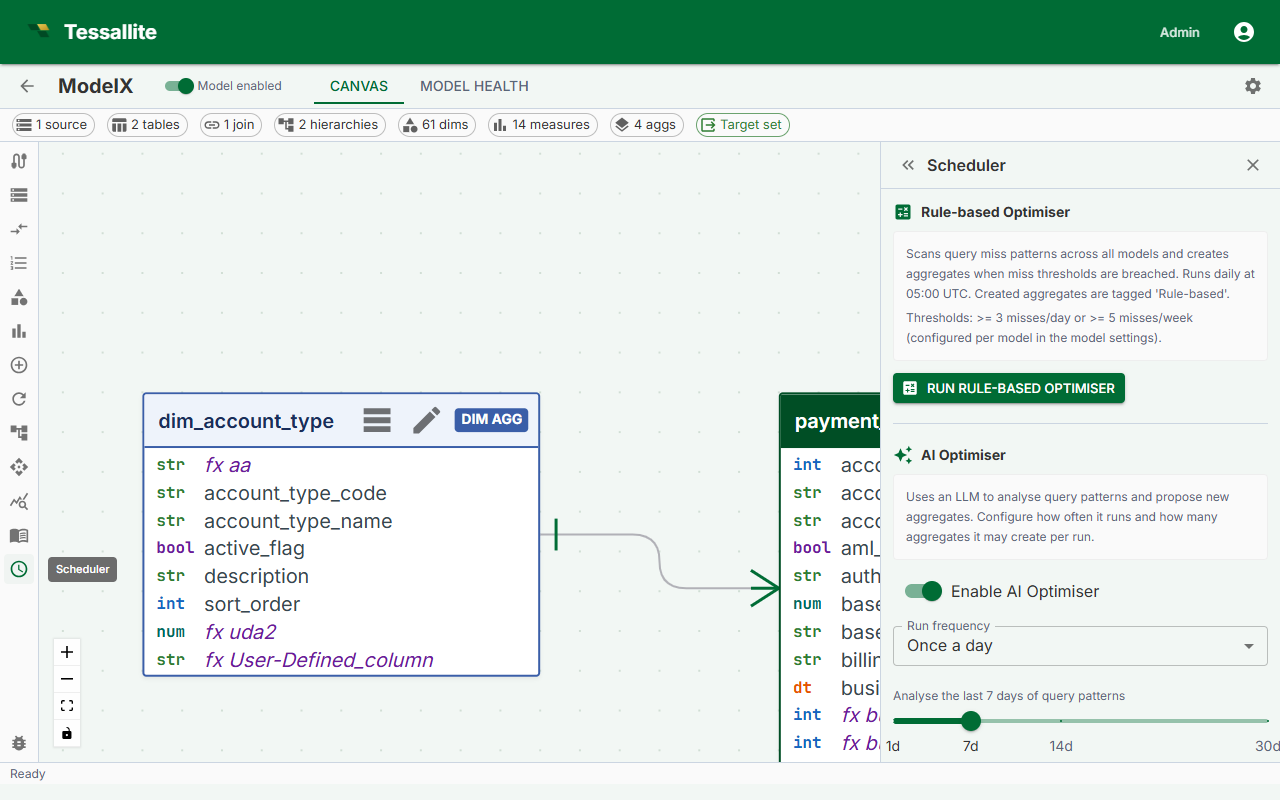
The AI advisor studies how the model is actually queried and uses an LLM to propose aggregates, scoring each suggestion. Two settings shape how it behaves, and one rule governs when you can run it.
Save before you run
The advisor reads the model exactly as it is saved on the server, not the draft you are editing. If you have unsaved changes in the Builder, the Run AI now button stays disabled until you Save. This is deliberate: it stops the advisor from analysing a shape that no longer matches what you see, and saves you from a confusing "version conflict" afterwards. Save first, then run.
Minimum confidence
Each recommendation carries a confidence score between 0 and 1. The minimum confidence setting (default 0.5) filters out anything the advisor is unsure about — low-confidence suggestions are still written to the run's decision log for transparency, but they are not offered as actions. Raise the threshold to see only the advisor's strongest calls; lower it to see more, including speculative, suggestions. Start near the default and adjust once you see how the advisor behaves on your model.
Require review before applying
By default, an approved AI suggestion is built and routed straight away. If you would rather check every change first, turn on Require review before applying. With it on, the advisor still studies the data and still proposes aggregates — but instead of building them it registers each one as a disabled aggregate. Nothing is built and no query is sped up until you open the aggregate and enable it yourself. This is the safe choice while you are learning how the advisor behaves on a model; turn it off once you trust the suggestions and want them applied automatically.
Dry run — see the plan without changing anything
Turn on Dry run when you want to know what the advisor WOULD do without it doing any of it. The advisor still reads your query history, still asks the language model, and still writes a full run record you can open and read — every recommendation it would have acted on is listed, marked skipped.
What a dry run will never do:
- create an aggregate, enabled or disabled;
- build, refresh, retire or delete a table in your database;
- change which aggregate a query is answered from.
This is a hard guarantee, not a promise about how carefully the code was written: every part of Tessallite that can write to your data refuses outright while a dry run is in progress. If something inside a dry run ever tried to write, the run stops and tells you, instead of writing.
Use it the first time you point the advisor at a model, after a big change to the model, or whenever you simply want a second opinion on your aggregates. Then turn it off and run again to actually apply what you agreed with.
Keeping the language-model bill in check
Every advisor run sends your query patterns to a language model, and language models charge by the token — roughly, by the amount of text in and out. Two limits protect you:
- Per run. If one run's prompt would be too large to send, the run stops before the model is called and tells you to narrow the model or shorten the lookback window. You are never charged for a call that was always going to be refused.
- Per day. Set AI optimiser daily token budget (Model Settings → AI optimizer) to cap what the advisor may spend on this model in a single UTC day. Tessallite reserves each run's prompt plus the provider configuration's maximum output before calling the provider, while completed runs record their actual input/output usage for audit. A run whose reservation would go over the cap stops before calling the provider and says so. Leave it at 0 for no limit. This budget is separate from the conversational agent's, so a busy advisor cannot eat the chat allowance.
How "worth building" is priced
The optimiser weighs an aggregate's saved query time against what it costs to store and refresh. Those prices are yours to set, under Model Settings → AI optimizer:
| Setting | What it means |
|---|---|
| ROI storage rate | What a gigabyte of storage costs you per month. |
| ROI compute rate | What scanning a million source rows costs you. |
| ROI assumed refresh frequency | How often an aggregate is rebuilt when no schedule says otherwise. |
The shipped values are generic cloud list prices. If your platform is materially cheaper or dearer, set your own — these numbers decide which single aggregate gets built when several are competing for the same slot.
Only one run at a time
An AI run holds a per-model lock while it works, and it runs in the background — you get an immediate acknowledgement and a visible row rather than a frozen screen. The row appears as "queued" for a moment while the run is handed to the background worker, then turns to "running". Being queued means the request is already saved: if the service restarts before the run starts, it is picked up and started afterwards rather than lost. If a run is already queued or in progress — whether you started it or a schedule did — starting another is rejected with an "AI run in progress" message instead of running two at once. Wait for the current run to finish, then try again.